

Videos, Downloads & More
ACES$ Wyoming EVV Resources
Below you’ll find informational downloads and videos about the CareAttend Mobile EVV App. From downloading the app to entering and approving shifts, you’ll get all the info you need to take full advantage of our easy-to-use EVV app.

Jump to a Section
Info on the CareAttend App
Overview | Download the App | Register | Clock In | Clock Out | Group Service | IVR | FAQs
Info on ACES$ Online
Downloadable resources and videos for registering and using ACES$ Online
About CareAttend
EVV Training
Please note: you will not be able to register until your enrollment is complete with ACES$.
Download
the CareAttend App
(Videographic)
Como descargar la aplicación
(Videographic)
How to Register
Register for ACES$ Online
(Videographic)
Register
the CareAttend App
(Videographic)
Como registrar la aplicación
(Videographic)
How to Clock In
Clock In
Using the CareAttend App
(Videographic)
Como fichar un turno
(Videographic)
How to Clock Out
Clock Out
Using the CareAttend App
(Videographic)
Como fichar la salida
(Videographic)
Clock Out With Edits
Using the CareAttend App
(Videographic)
Como fichar la salida con ediciones
(Videographic)
Group Service
About ACES$ Online

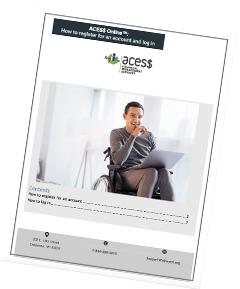
Videos
How to Register for Our Online Portal
FAQs
What is Electronic Visit Verification (EVV)?
EVV, or Electronic Visit Verification, is a federally mandated system that applies to Employees in self-direction programs across all states. It electronically records the start and end of each shift and captures the location of the Employee at the time of clock-in and clock-out.
To meet this requirement, Employees must use an approved EVV method: CareAttend Mobile App or EVV IVR Phone System.
Employers then review and approve these verified shifts.
I don’t have home internet service. What should I do?
Visit lifelinesupport.org to see if you qualify for low-cost phone and internet service. This federal program lowers monthly internet and phone bills for Medicaid users.
I don’t have a smartphone and neither does my employee. What should we do?
Visit SafeLink Wireless to see if you qualify for a smart device that’s capable of running the CareAttend app. Through this federal program, you may be able to get a free smartphone that both you and your employee can use with CareAttend.
If you are unable to obtain a smartphone, you can use Interactive Voice Response (IVR) phone system instead of the EVV CareAttend app. By calling the IVR number from the Participant’s home phone (landline), employees can clock in and out, and Employers can confirm shifts using the IVR or in ACES$ Online.
Does my employee need to clock in and out from the same location?
No, the location at clock-in does not need to match the location at clock-out. Together, you and your employee determine where and when work begins and ends, based on your waiver rules.
Does the CareAttend app continually track my employee's location?
No, the CareAttend app records the employee’s location only once at the time of clock in, and once again at the time of clock out.
Can the CareAttend app work without internet access?
For clocking in and out, the CareAttend app doesn’t need internet access. It does need internet access for the initial registration and then once per pay period to transmit finished shifts to ACES$.
How does an employee stay compliant using the CareAttend app?
Employees using the CareAttend app can stay compliant by:
Clocking in and out live when they start and end work
and
Not making adjustments to their shifts during the clock-out process
If the Employer isn't available at clock out, is the employee’s shift still valid?
Yes! A valid shift requires live clock in and clock out without any adjustments, but it does not require an Employer signature at the time of clock out. Employers can approve shifts after-the-fact on ACES$ Online.
Contact
ACES$ Wyoming

From left to right
Samantha Randall
Participant Care and Enrollment Specialist
Crystal Ivey
Team Lead
Paige Crawford
ACES$ Wyoming Program Director
Samantha Melendez
Bilingual Participant Care and Enrollment Specialist
Call
Toll-Free:
1-844-500-3815
Fax
Documents:
1-877-226-8836
Mail/Email
202 E. 18th Street Cheyenne, WY 82001
Team Members
Paige Crawford
ACES$ Wyoming Program Director
pcrawford@mycil.org
Crystal Ivey
Team Lead
civey@mycil.org
Samantha Melendez
Bilingual Participant Care and Enrollment Specialist
smelendez@mycil.org
Samantha Randall
Participant Care and Enrollment Specialist
srandall@mycil.org
Please note: ACES$ is closed for the following holidays:
New Year’s Day, Martin Luther King Jr. Day, President’s Day, Memorial Day, Juneteenth, Independence Day, Labor Day, Columbus Day, Veterans Day, Thanksgiving Day, Day after Thanksgiving and Christmas Day.
Submit Timesheets




 ACES$ Online